Music folders
Your Windows folders, the way they sit in VirtualDJ — pick what to sync.

Works with VirtualDJ
CueDrive
The track you need is in your library — on the PC at home. CueDrive streams your whole VirtualDJ library to your Android phone from your own cloud, with your hot cues, BPM and key. Files never leave your drive.
Android · private beta · iOS later
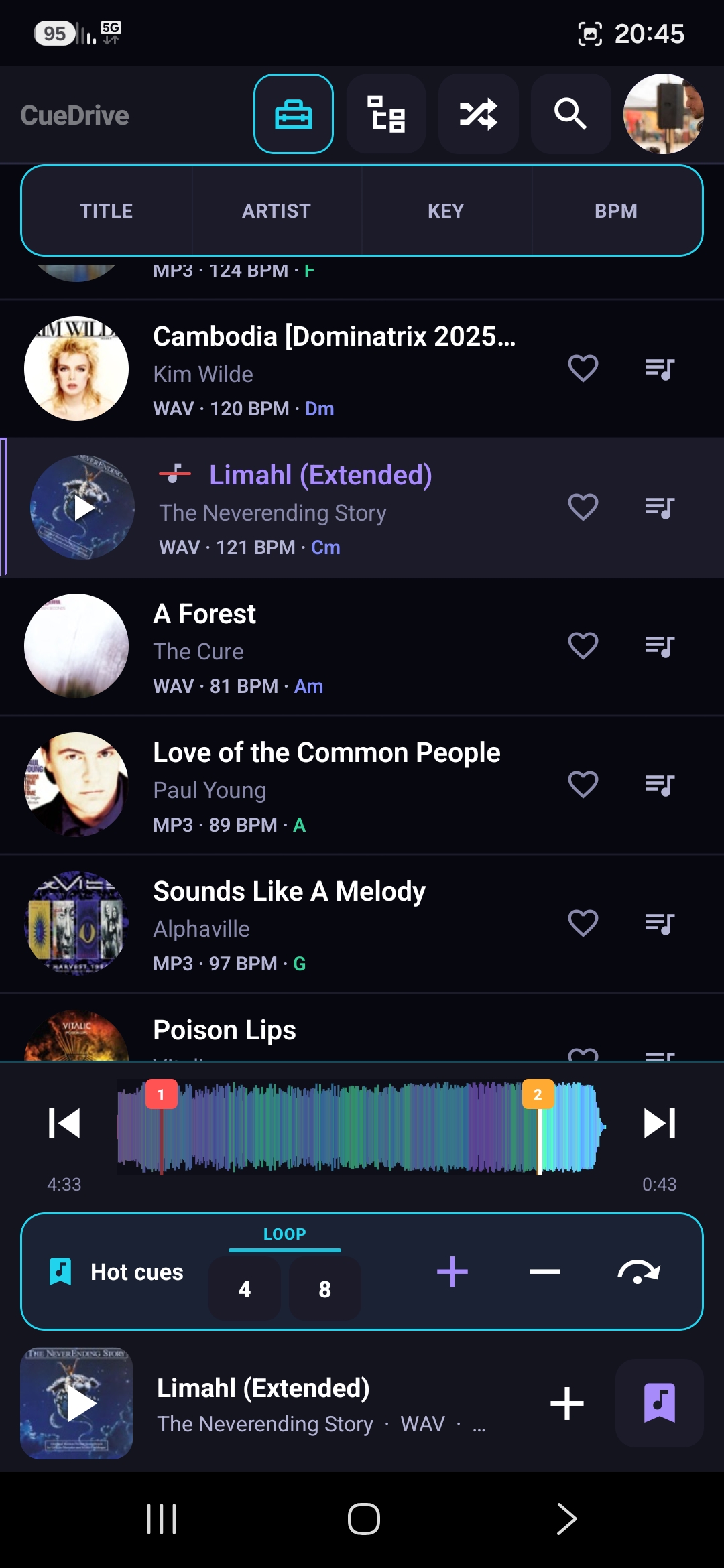
From your VirtualDJ library
CueDrive reads the library VirtualDJ already knows — then lets you browse and play it on the road.
Your Windows folders, the way they sit in VirtualDJ — pick what to sync.
Your playlists, editable on the phone — changes land back in VirtualDJ. Like a track on the go and it’s waiting in your Liked list.
Day sessions from VirtualDJ History — browse what you played, don’t rewrite it.
VirtualDJ companion · Android
A VirtualDJ mobile workflow: connect the cloud you already use, then prep and play your library on the go.
Link OneDrive, Google Drive or Dropbox — the same cloud you already use.
It detects your existing VirtualDJ folders, MyLists and History. No re-import needed.
Navigate your full VirtualDJ library on phone with the same structure you know from desktop.
Set hot cues on mobile, create loops, and run Mix checks — then open VirtualDJ later and everything is ready.
Not the same as CloudDrive
VirtualDJ CloudDrive is excellent for backing up and syncing your library between computers.
CueDrive is different — a VirtualDJ Android companion built to stream VirtualDJ from cloud on your phone:
Use both together for the best workflow.

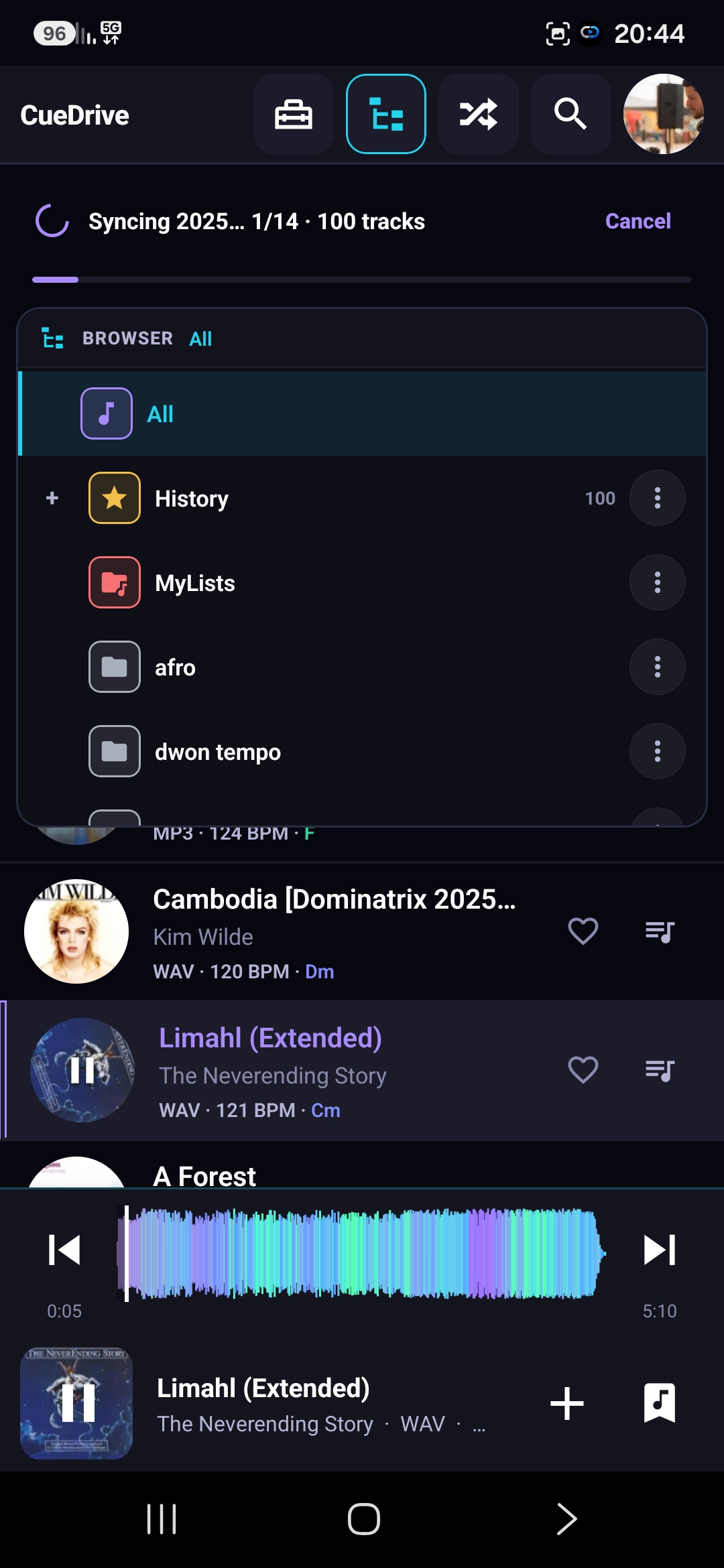
Your files. Your cloud. Not ours.
Connect OneDrive, Google Drive or Dropbox. CueDrive plays your VirtualDJ library straight from it. We never copy, upload, or host your music.
CueDrive is a metadata and playback layer — not another storage locker.
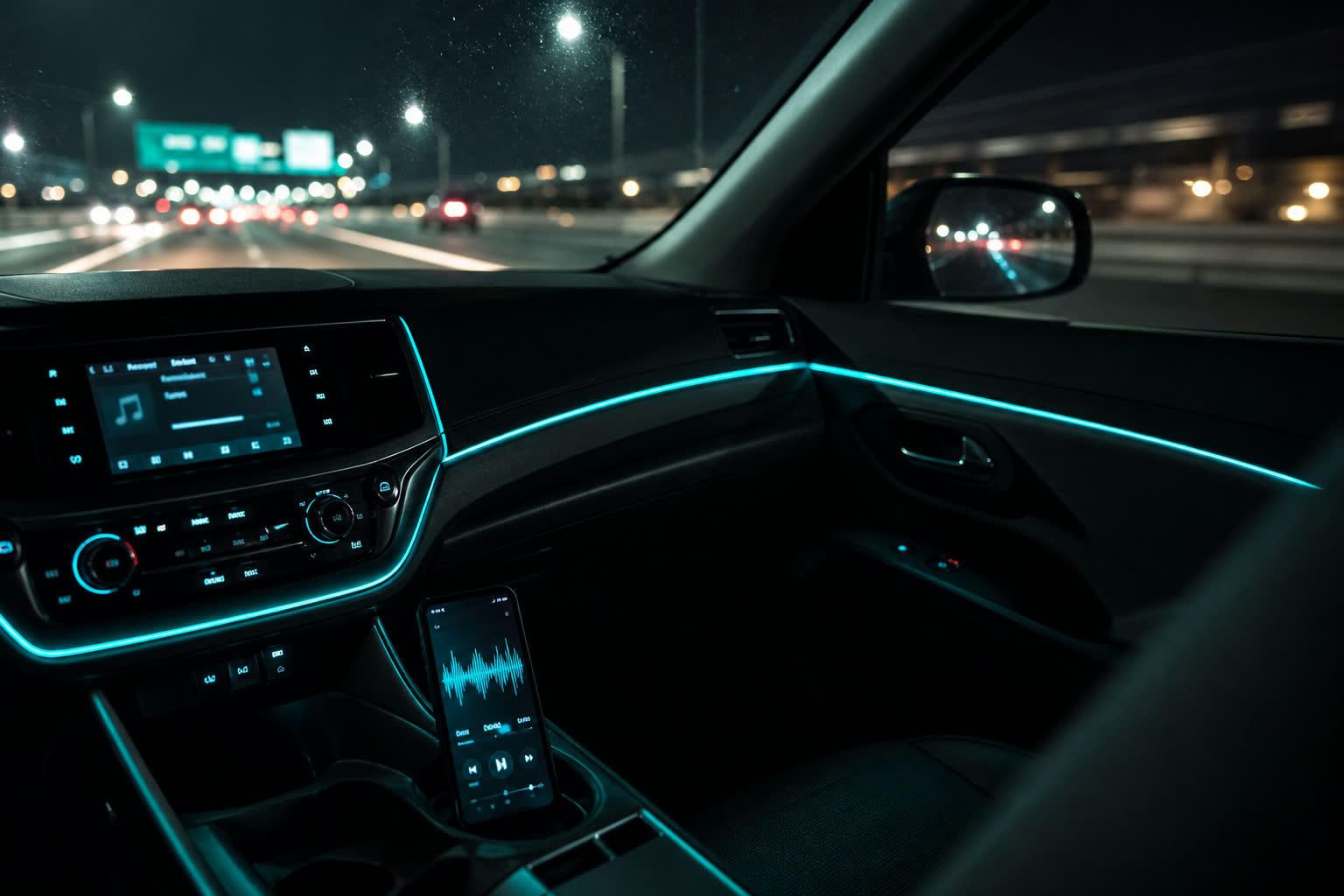
Built for the car and the booth.
Big targets, dark UI, lock-screen controls. Playback keeps going with the screen off — on the way to the gig.
BPM, key and hot cues come from your VirtualDJ library — not a generic music app.

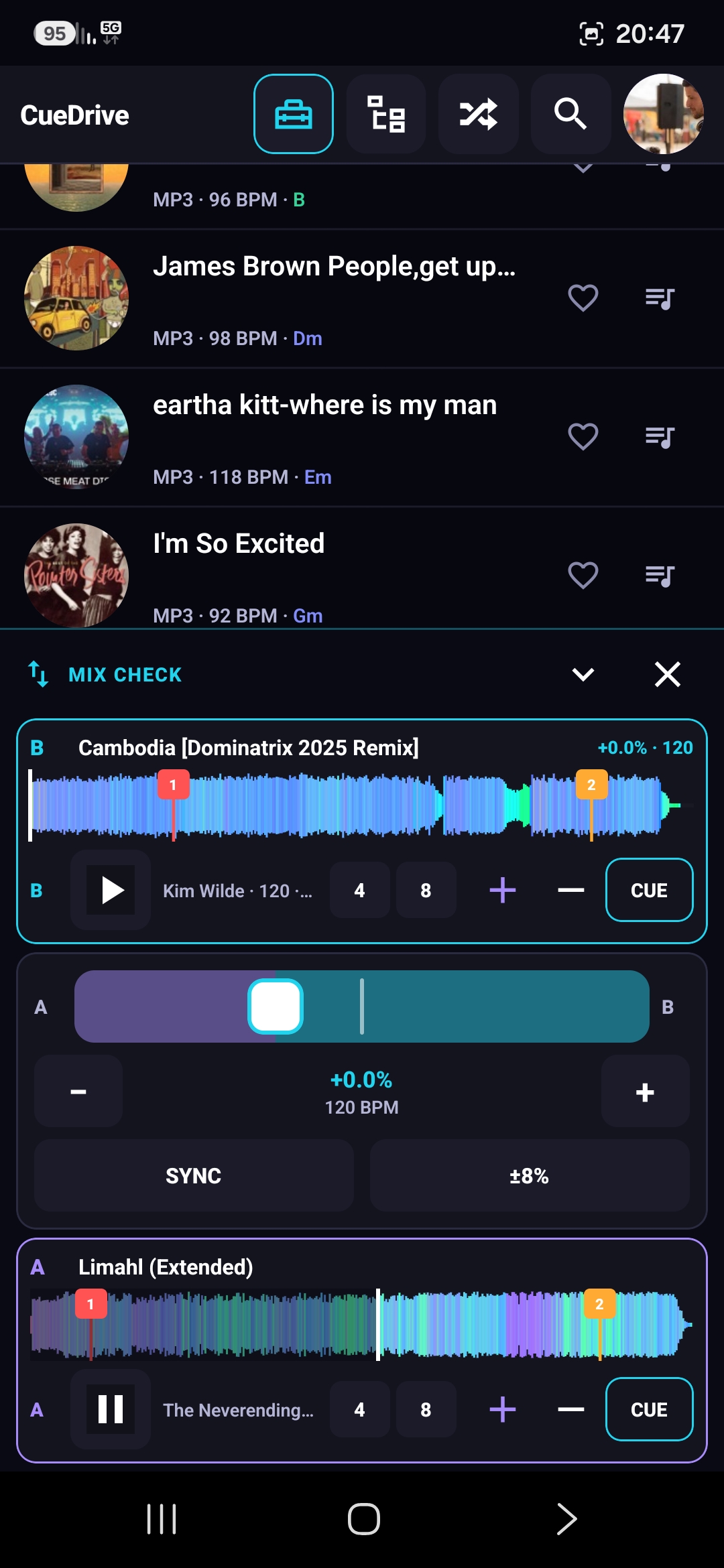
Hot cues · loops · Mix check
Set hot cues on the phone, run 4 / 8 beat loops when a track is ready, and use Mix check to hear A→B with a crossfader and SYNC. It’s an ear-check — not a club mixer.
Instant Doubles: same track on Deck A and B to dial in a transition.

Video clips, too
Load your video clips, set hot cues and rhythm points, run loops — the same prep tools, now on video. Prep the visual set, play it back in the booth.
Hot cues, loops and rhythm points work on video clips like they do on audio.
Who’s behind this
I DJ with VirtualDJ. My library lives on the PC, and every drive to a gig I wanted the same thing: hear the set, check a transition, drop a hot cue — from the phone, without copying files anywhere.
So I built CueDrive for my own gigs, and I use it every week. It’s a small, private beta on purpose: testers write to me directly, and every message gets an answer from the person who wrote the code.
Found a bug, or want a feature? support@cuedrive.media — replies come from me, not a ticket queue.
FAQ
It’s designed not to. CueDrive never rewrites database.xml.
When you set a hot cue on the phone, it edits only the cue entries of
that one track — nothing else in the file is touched. Playlists are
written as normal .vdjfolder files in MyLists. Browsing,
playing and Mix check are read-only. Keep your usual backups
(CloudDrive or a copy of the VirtualDJ folder) as you would anyway.
No. CueDrive streams directly from your own OneDrive, Google Drive or Dropbox. Your files never leave your drive and are never copied to our servers.
Standard OneDrive / Google Drive / Dropbox sign-in to read your VirtualDJ folder and stream tracks, plus write access so hot cues and playlists can land back in VirtualDJ. You can revoke access any time from your cloud account, and Disconnect & clear inside the app removes everything CueDrive stored about your library.
Yes. CueDrive reads and displays your existing hot cues, loops, BPM and key from the VirtualDJ library. You can also set new hot cues and loops on the phone.
Use it the way you’d actually DJ — in the car, before a gig, on the couch — and tell me what felt wrong. A screenshot and one sentence by email is plenty. No forms, no schedule. In return: CueDrive stays free for you, for life.
Yes. Beta testers get CueDrive free for life — that doesn’t expire when the beta ends.
Currently Android only (private beta). iOS version is planned.
OneDrive, Google Drive and Dropbox.
Private beta · Android
Two taps, no waiting: join the tester group with your Google Play account, then install from Play.
Play can take a few minutes to notice you joined. Prefer email instead? Leave it below.
Enter the email of the Google account you use on Google Play — it’s only for the Play tester list, you never sign in to CueDrive with Google. Testers are added in batches, usually within a day.

On a computer? Scan to open this page on your Android phone.
Already a tester? ·